Don't read it.
Listen to it.

Lazy Reader reads your PDFs, eBooks, study notes and web articles aloud, and highlights every word as it goes.

Free for Android 8 and newer · No account · No ads · Optional Pro €4.99, once

PDFEPUBWORDTXTHTMLWEB LINKS
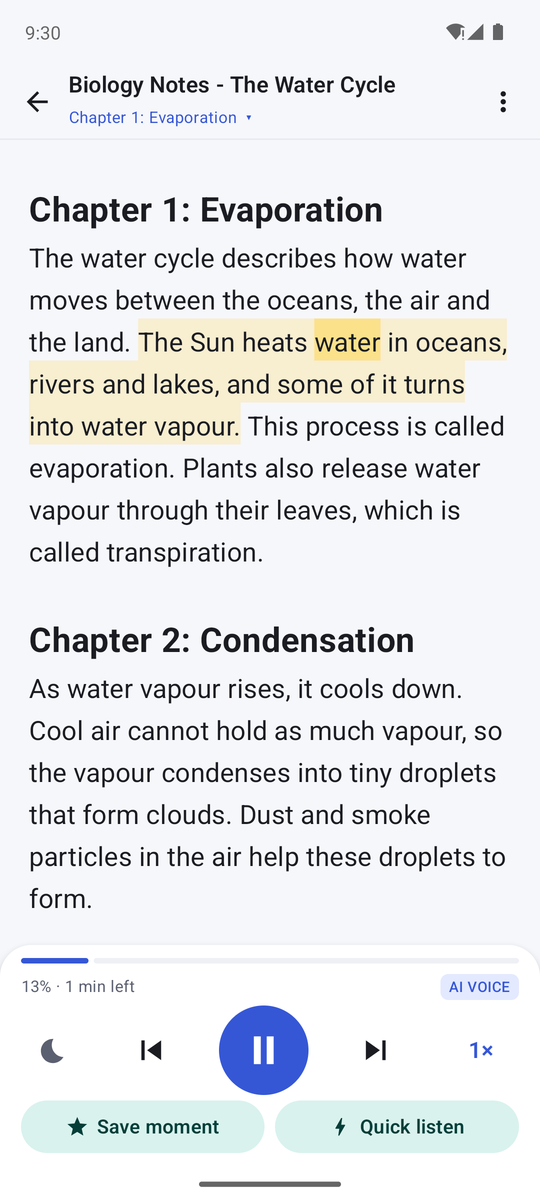
Lazy Reader reading study notes aloud, with the current sentence highlighted
BIOLOGY NOTES · CHAPTER 2

1×
5 key pointsQuick listen
What it does

Everything you need to listen instead of read

Opens your files

PDF, EPUB, Word (DOCX), text and saved web pages. Chapters are found automatically so you can jump around.

Read-along highlight

The sentence being read is highlighted and each spoken word lights up, so your eyes and ears stay together.

Web articles in one tap

Share a page from Chrome, or copy a link and tap "Read what you copied". Menus and adverts are left out. 3 free articles, unlimited with Pro.

Quick listen

Hear 5 key points any time, or a 1, 5 or 10-minute version of a chapter (3 free, unlimited with Pro), built from the most important original sentences.

Welcome back recap

Open a book after a break and hear a short reminder of what you covered last time, then carry on.

Save moments

Long-press a sentence to keep it, add your own note, and share all your saved quotes at once.

Keeps reading with the screen off

Controls on your lock screen, notification and headphones. Pauses when you unplug headphones.

Sleep timer

Stop after 10 to 60 minutes, or at the end of the chapter, for reading in bed.

Easy on the eyes

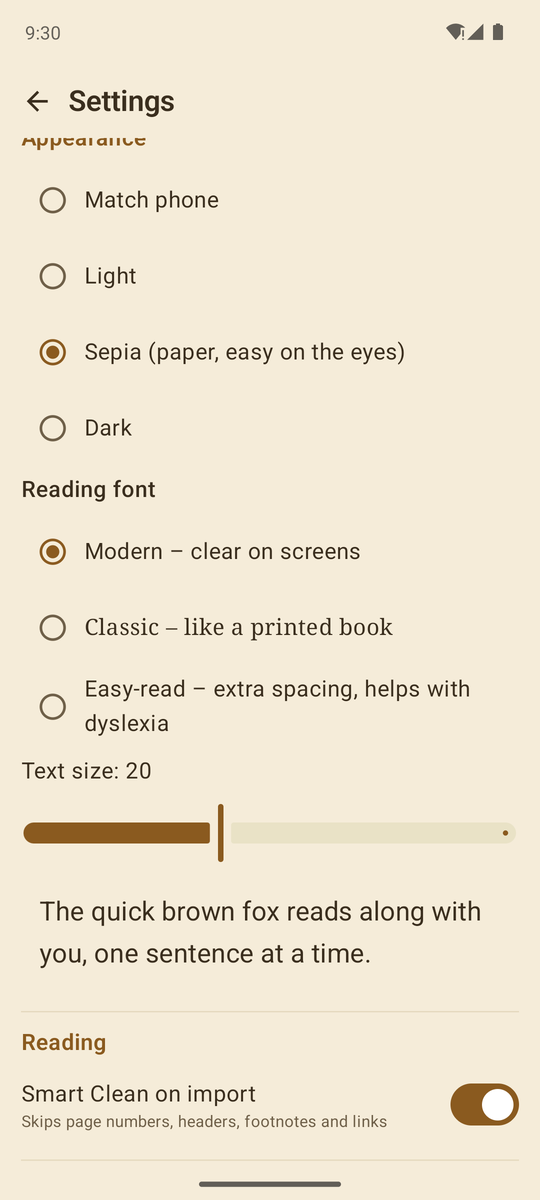
Light, Dark and Sepia themes, adjustable text size, and an Easy-read font with extra spacing that helps with dyslexia.

Free and Pro

Free to use. Pro when you want more.

Everything you need to listen is free. Try each Pro feature for free first, then unlock it for life with one payment of €4.99 on Android.

FeatureFreePro · €4.99 once
Read PDF, EPUB, Word and text aloudUnlimitedUnlimited
Read-along highlight, Smart Clean, sleep timerUnlimitedUnlimited
Saved moments, Welcome back recap, themes and fontsUnlimitedUnlimited
Quick listen: key pointsUnlimitedUnlimited
Quick listen: 1, 5 and 10-minute summaries3 freeUnlimited
Web articles (share or paste a link)3 freeUnlimited
Photo to speech3 free photosUnlimited
Translate and read1 free translationUnlimited

Pro is a one-time purchase through Google Play, restored automatically on any Android phone signed in to the same Google account. It is not a subscription. The web version is free and does not include photo, translation or web links.
Smart Clean

It skips the clutter other readers read out

Page numbers, running headers, footnote marks and web links make most text-to-speech apps sound robotic. Lazy Reader removes them before reading, and shows you exactly what it skipped.

WHAT'S ON THE PAGE THE WATER CYCLE — Chapter 2 As water vapour rises, it cools down.[12] Cool air cannot hold as much vapour, so the vapour condenses into tiny droplets that form clouds. See https://example.org/clouds for diagrams. 47
WHAT YOU HEAR
As water vapour rises, it cools down. Cool air cannot hold as much vapour, so the vapour condenses into tiny droplets that form clouds. See for diagrams. Removed: header (1), footnote mark (1), link (1), page number (1)
Inside the app

Simple enough for anyone

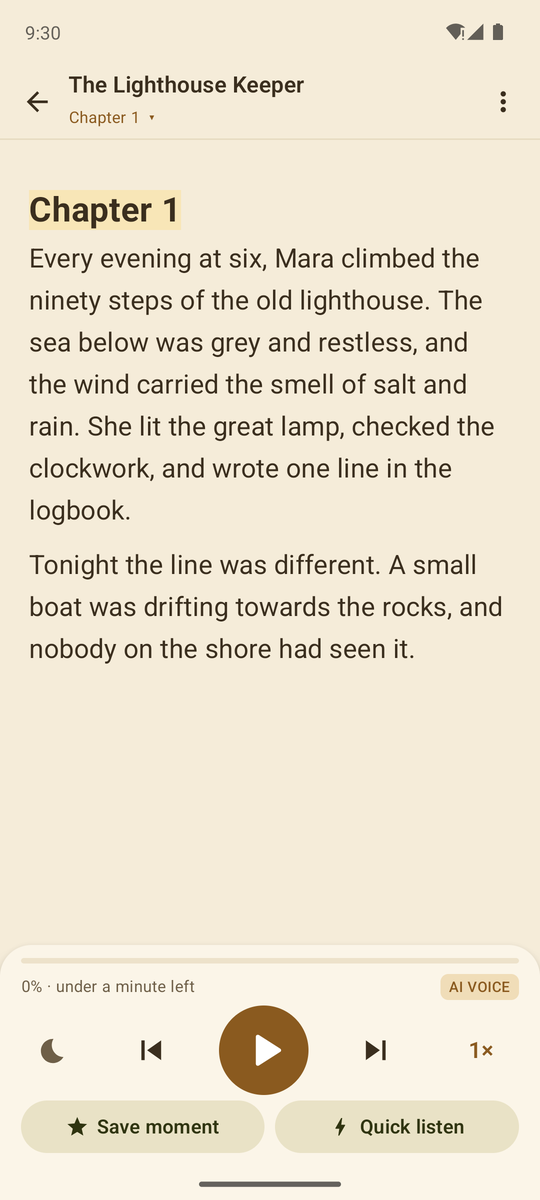
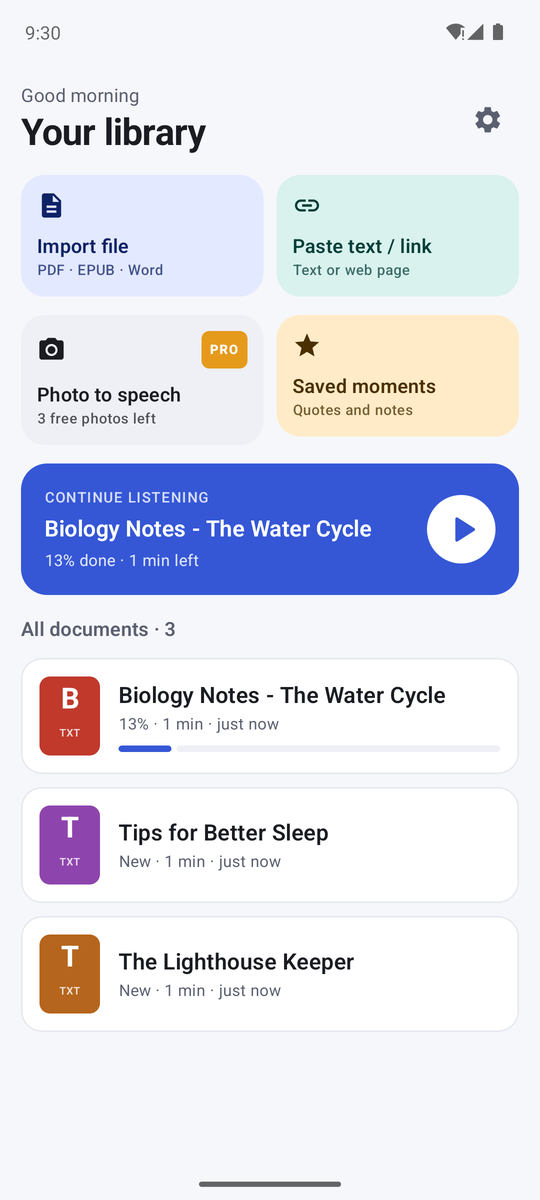
Library with a Continue listening card
Your library
Reader with highlighted sentence and player
Read along
Sepia reading theme
Sepia theme
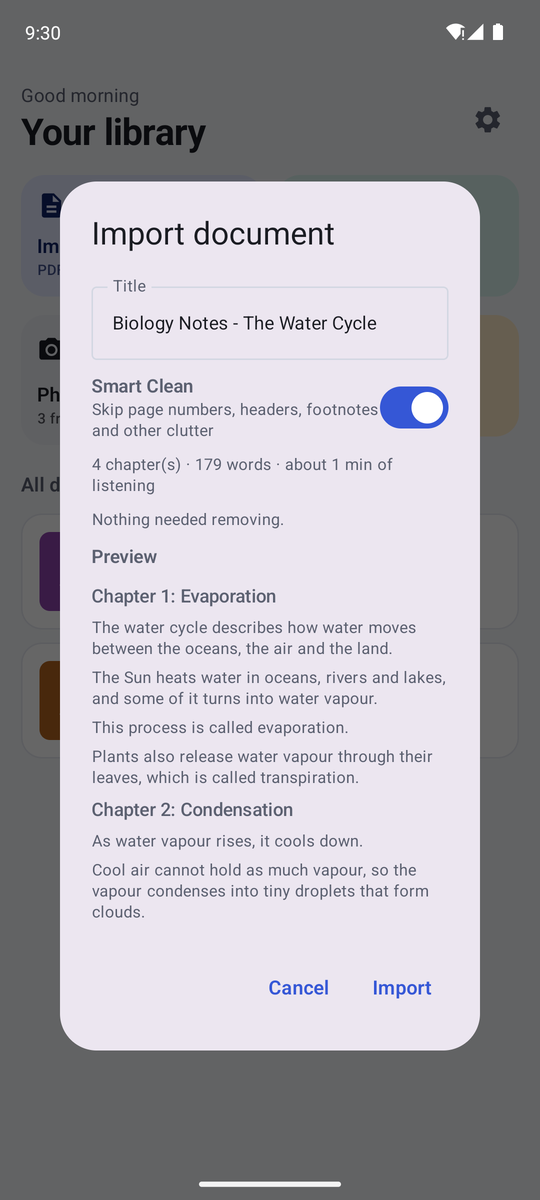
Import preview with Smart Clean
Preview and Smart Clean
Voice settings with rate and pitch
Voice settings
How it works

Listening in three taps

Add something to read

Import a file, paste text, or share a page from any app to Lazy Reader.

Check the preview

See the chapters, the listening time and what Smart Clean removed. Tap Import.

Press play

Listen at your own speed. Lazy Reader remembers where you stopped.

Private by design

Your documents stay on your phone

Lazy Reader has no account and no server. It uses your phone's own voices, so it works on a plane, on the underground or anywhere without signal.

The internet is used when you open a web link, choose Google's online voices, buy Pro, or download a translation language pack. Pro photo and translation run on your phone with Google ML Kit: photos and text are not uploaded, but ML Kit sends Google anonymous diagnostics when you use them.

✓No account or sign-up
✓No ads
✓Works offline
✓Runs well on phones with 4 GB of memory
Made for

People who would rather listen

StudentsRevise notes and textbook chapters on the bus or at the gym.
Tired eyes and dyslexiaFollow the highlight, use the Easy-read font, or just close your eyes.
CommutersTurn the articles you saved into a listening queue.
ProfessionalsGet through reports and long PDFs while you do something else.
Questions

Good to know

Is Lazy Reader free?

Yes. Reading files and text aloud, Smart Clean, key points, saved moments and all themes are free and unlimited, with no adverts. You can also try 3 summaries, 3 web articles, 3 photos and 1 translation for free. Lazy Reader Pro is an optional one-time purchase of €4.99 that removes those limits.

Is Pro a subscription?

No. You pay once through Google Play and keep Pro for life. It is restored automatically when you reinstall or move to a new phone with the same Google account.

Which voices does it use?

It uses the text-to-speech voices already on your phone. For the best sound, install or update "Speech Services by Google" from Google Play and choose a voice in Lazy Reader's settings. You can change the speed and pitch there too.

Does it need the internet?

No. Files and pasted text are read completely offline. The internet is only needed to open a web link, or if you switch on online voices.

Can it read photos of pages?

Yes. Your first 3 photos are free, then it is part of Pro. Take a photo or pick one from your gallery and the text is recognised on your phone. Printed text in Latin-alphabet languages works best. Scanned PDF files are not supported yet; take a screenshot of the page and use Photo to speech instead.

Can it open pages behind a login or paywall?

No. It downloads only public pages, without your cookies or passwords. For other pages, select the text in your browser and share it to Lazy Reader instead.

Is there a version for iPhone, Mac or Windows?

Yes: the free web version runs in Safari, Chrome and Edge and can be added to your home screen. It reads files and pasted text aloud with highlighting, summaries and saved moments. Photo to speech, translation and web links are Android-only for now.

Which phones does it work on?

Android phones and tablets running Android 8.0 or newer. It is light enough for phones with 4 GB of memory.

Are the summaries made by AI?

Quick listen picks the most important original sentences on your phone. It does not rewrite your text or send it anywhere.

How good is the translation?

Translation is done on your phone by Google ML Kit. It is good for getting the meaning, but it is a machine translation and can contain mistakes, so do not rely on it for important decisions.

Give your eyes a rest

Lazy Reader is in testing now and coming soon to Google Play.

Back to top